
An API response is not a view model
An API response describes data as the backend exposes it. A view model presents that data in the form a particular interface actually needs.
 Alexander Claes
9 min read
Alexander Claes
9 min read
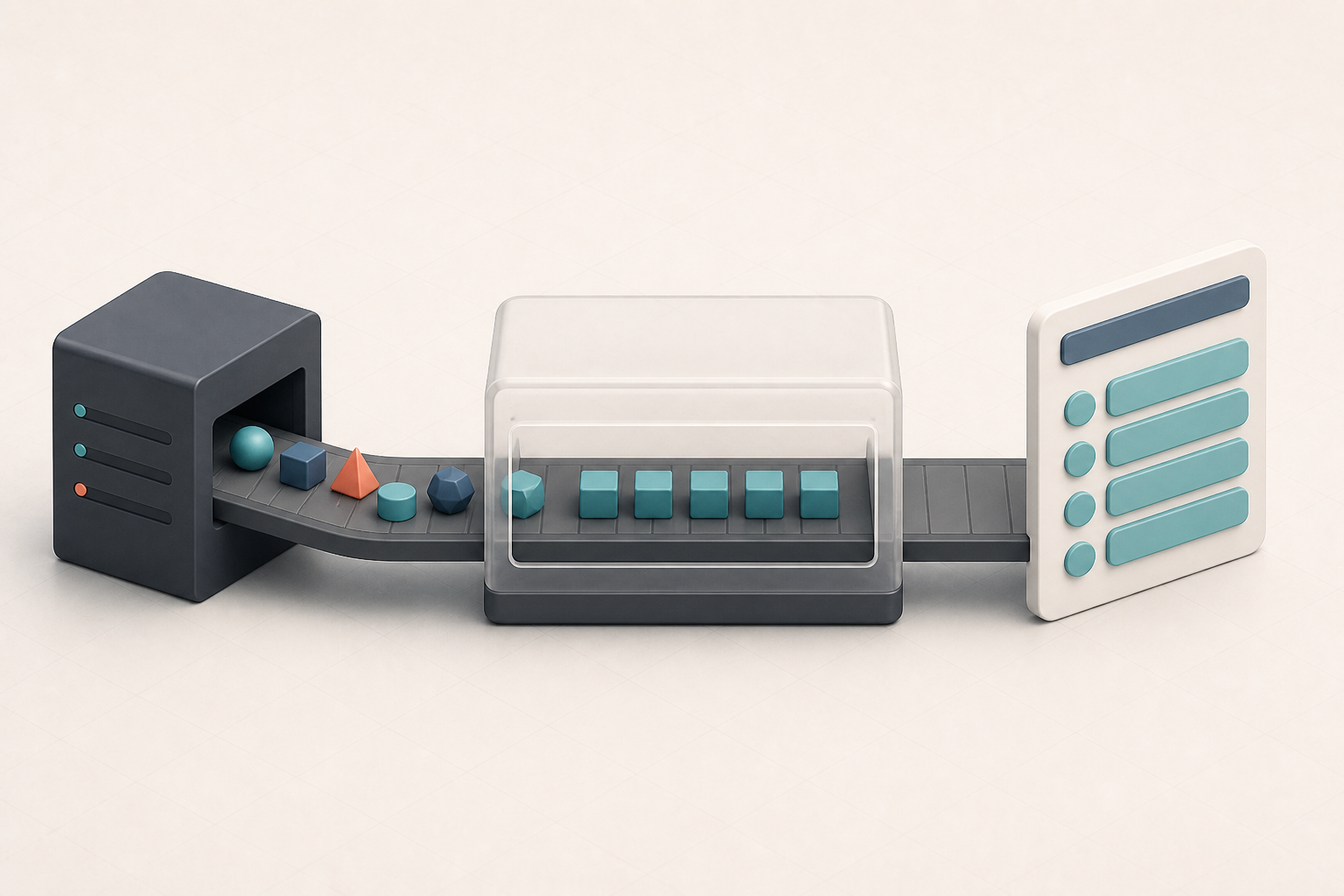
Fetching data from an API and displaying it on a page sounds straightforward. The API returns an object, the component receives it and the template renders its properties. For a small feature, that might be all you need.
On a large application, however, the shape returned by the API and the shape needed by the interface rarely remain identical for long. The backend might organize data around domain concepts, database entities or reusable endpoints, while the interface organizes that same data around what a user needs to understand and do on a particular screen. Those are related concerns, but they are not the same. Treating every API response as if it were already a view model pushes the difference into components, where formatting, fallbacks, permissions and domain-specific conditions gradually spread through the templates.
The first implementation usually looks reasonable
Imagine an API returning a purchase request:
type PurchaseRequestResponse = {
  id: string
  reference: string
  status: 'DRAFT' | 'SUBMITTED' | 'APPROVED' | 'REJECTED'
  requester: {
    firstName: string
    lastName: string
  } | null
  totalAmount: {
    value: number
    currency: string
  } | null
  submittedAt: string | null
  allowedActions: Array<'EDIT' | 'SUBMIT' | 'APPROVE' | 'REJECT'>
}
It contains everything we need, so passing it directly to a component seems perfectly fine:
<h2>{{ request.reference }}</h2>

<p>
  {{ request.requester?.firstName }}
  {{ request.requester?.lastName }}
</p>

<span>{{ request.status }}</span>
Then the actual requirements arrive. When no requester is available, the interface should display “Unknown” instead of leaving an empty space, and the status code needs a human-readable label and a visual style. The submission date should only appear for submitted requests, while approve and reject buttons depend on the allowed actions returned by the server.
None of those requirements are particularly difficult, but they tend to be implemented one by one, directly where the data is rendered. Before long, the component contains its own formatting and interpretation logic:
const requesterName = request.requester
  ? `${request.requester.firstName} ${request.requester.lastName}`
  : 'Unknown'

const canApprove = request.allowedActions.includes('APPROVE')

const statusColor =
  request.status === 'APPROVED'
    ? 'success'
    : request.status === 'REJECTED'
      ? 'danger'
      : 'neutral'
One component doing this is not a disaster. The trouble starts when the same purchase request appears in a table, a detail page, a dialog, a dashboard and an approval flow. Each place now has to understand the API and decide how to translate it into something suitable for the interface, which makes inconsistent decisions almost inevitable.
The backend and the interface have different jobs
An API response describes information as the backend exposes it, while a view model describes information in the shape a particular view needs. The API might return a compact status code because it is stable and useful to multiple consumers. The interface needs a human-readable label, a suitable colour and perhaps an icon.
The same applies to dates, amounts and optional relationships. An API can return an ISO timestamp, a numeric value with a currency code and a nullable person object, but the interface still has to decide how those values should be presented. Neither representation is wrong; they simply serve different purposes, and problems appear when we expect one representation to do both jobs.
Introduce a boundary between the two
Instead of teaching every component how to interpret the response, we can transform it into a model designed for that specific interface:
type PurchaseRequestListItem = {
  id: string
  reference: string
  requesterLabel: string
  amountLabel: string
  status: {
    label: string
    tone: 'neutral' | 'info' | 'success' | 'danger'
  }
  submittedAtLabel: string | null
  canApprove: boolean
}
A mapping function can create that view model. Application-level formatting helpers keep the example focused on the transformation itself:
function toPurchaseRequestListItem(
  response: PurchaseRequestResponse,
): PurchaseRequestListItem {
  return {
    id: response.id,
    reference: response.reference,
    requesterLabel: response.requester
      ? `${response.requester.firstName} ${response.requester.lastName}`
      : 'Unknown',
    amountLabel: response.totalAmount
      ? formatAmount(response.totalAmount)
      : '—',
    status: getPurchaseRequestStatus(response.status),
    submittedAtLabel: response.submittedAt
      ? formatDate(response.submittedAt)
      : null,
    canApprove: response.allowedActions.includes('APPROVE'),
  }
}
The small formatAmount and formatDate helpers hide display details that are not important to this example. More importantly, the component no longer needs to know that a requester can be null, which status code maps to which visual style or how the amount should be presented. It receives the information in the form it needs to render, making the template less about interpreting data and more about describing the interface.
A view model should match the view
It can be tempting to create one large front-end model and use it everywhere, but that often recreates the original problem under a different name. A list and a detail page do not necessarily need the same model. The list might only need a reference, requester, amount and status, while the detail page also needs an audit history, related agreement, attachments and available actions.
Trying to design one model for every possible representation usually results in a large object with many optional properties. Components then have to start interpreting the object again, which is exactly what the view model was supposed to prevent. A view model is useful because it is specific: it contains what a view needs in a shape that makes that view easy to build.
That can mean having several view models based on the same API response. A selection dialog might only need an identifier and a label, while a dashboard card needs a status and a summary. Some duplication between those small models is not automatically a problem; it may simply reflect that the interfaces have different responsibilities.
It keeps API details out of components
Backend contracts change over time. A property is renamed, two fields become a nested object, an endpoint is replaced during a migration or a status code changes because the domain terminology has evolved. When components use responses directly, those details can leak throughout the application and turn a small backend change into updates across many unrelated templates.
A transformation layer gives that change a boundary. If totalAmount becomes financialSummary.total, the mapping function may be the only place that needs to know, while the component can continue receiving amountLabel. This does not make the front end independent of the API, but it limits how much of the front end needs to understand the API’s exact shape.
Missing data should be handled deliberately
Real API data is rarely as complete as the designs suggest. A user might have been removed, an older record might not contain a field introduced later, or a related resource might be unavailable because of permissions. One backend service might even fail while the rest of the response remains usable.
If components consume responses directly, handling these cases often becomes a collection of optional chaining and fallback operators:
{{ request.requester?.organisation?.name ?? '-' }}This prevents the component from crashing, but it does not necessarily create a good interface. A missing organization could mean “Not provided,” “Not applicable,” “No longer available” or “You do not have permission to view this,” and those meanings are not interchangeable. Transforming the response gives us a place to make that decision explicitly instead of automatically rendering a dash.
Permissions are a good example of the distinction
An interface often needs to know whether an action should be available. It might be tempting to calculate that entirely in the view model:
const canApprove =
  request.status === 'SUBMITTED' &&
  currentUser.roles.includes('APPROVER')
This looks convenient, but it duplicates business and authorization rules in the browser. There may be additional conditions the front end does not know about, so the server should remain responsible for deciding whether an operation is allowed. It can expose that decision through allowed actions or another explicit permission structure, which the view model can then translate into something convenient for the interface:
canApprove: response.allowedActions.includes('APPROVE')The distinction is important. A view model should interpret the server’s decision for the view, not invent a second authorization system. The server must still verify the action when the user performs it, because hiding or disabling a button is useful interface behaviour but it is not security.
Types make the boundary visible
When the same type is used for an API response, application state and component props, it becomes difficult to see where transformation is supposed to happen. Separate types make the flow clearer:
PurchaseRequestResponse
  → PurchaseRequestListItem
  → PurchaseRequestListItemComponent
They also make accidental coupling more obvious. If a component suddenly needs access to allowedActions, we have to make a deliberate choice: should that detail become part of its view model, or is the component taking on a responsibility it should not have? This is one reason I prefer generating or defining API types separately from front-end models: a type that describes what crosses the network should not automatically become the type used everywhere after that.
Mapping functions are easy to verify
Most transformation functions are plain functions that do not depend on a framework, which makes their behaviour easier to verify. Given a response with no requester, what label should appear? Which visual tone belongs to a rejected request, how should an unavailable amount be represented and does the correct action become available?
These tests are not trying to prove that string interpolation works. They verify the decisions made at the boundary between backend data and the interface. The same logic is much harder to test when it is spread between computed properties, templates and several components.
Not every response needs a separate view model
Like most architectural ideas, this one can be taken too far. If an endpoint returns three strings and a component displays those exact strings, creating another interface and mapping function might add ceremony without providing any real value. I start considering a view model when one or more of these things happen:
- The same transformation appears in multiple components.
- The API structure does not match the way the information is displayed.
- Several response fields need to be combined.
- Missing values require meaningful fallbacks.
- Domain codes need labels or visual representations.
- The component needs derived information.
- The backend contract changes more frequently than the interface.
- A screen combines data from multiple endpoints.
The goal is not to create a mapping layer because every application supposedly needs one. The goal is to give data a clear boundary when the API and the interface start pulling it in different directions. If the response already matches the view, keeping things simple is still a perfectly valid choice.
The response is input, not the finished product
An API response is designed to transport data, while a view model is designed to present that data in a way a particular interface can use. Sometimes their shapes are almost identical. Often they begin that way and slowly diverge as the application grows.
Recognizing that difference has made me more deliberate about where front-end decisions live. Components become simpler, API changes are easier to contain, and missing or derived information is handled consistently. Most importantly, the interface stops being a direct visualization of whatever shape the backend happens to return.
The API response is the input. The view model is what turns that input into something the interface can actually use.